Record your Teams calls.
Free Microsoft Teams audio recorder for Mac. Capture your microphone and the call in one M4A, saved right on your Mac.
Download for MacRequires macOS 15 or later
From call to file.
Start, stop, and choose where to save. It all happens from the menu bar.
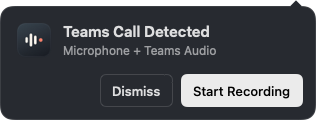
Start when you're ready
Start from the Teams call prompt or directly from the menu bar.

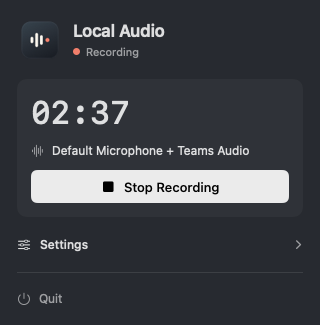
Follow the recording
The dot turns coral and a timer shows how long you’ve been recording.
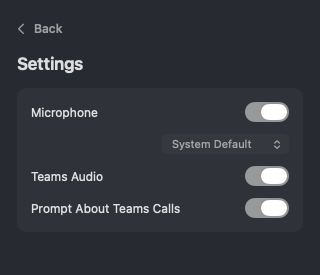
Choose what to capture
Pick a microphone and enable Teams audio, or record just one source.
Your recording stays on your Mac.
Choose a name and folder when you stop. Local Audio writes a draft as you record, so you can reopen the app and try to save it after an unexpected quit.
Download for MacFAQ
Which version of Teams does it work with?
Local Audio is designed for the Microsoft Teams desktop app on macOS 15 or later.
How do I install Local Audio?
Open the downloaded disk image and drag Local Audio into Applications. Allow microphone and system audio access when macOS asks.
Do I need an account?
Local Audio runs locally and has no account or subscription.
What file does it save?
One stereo M4A containing the sources you selected for the recording.